




















































RGB to CMYK conversion for packaging print changes screen-based color into process-ink instructions for a physical package. RGB uses light from a display. CMYK uses cyan, magenta, yellow, and black ink on a printed surface. A screen can show colors that process inks cannot reproduce exactly, so the job is to control the conversion, inspect where a shift matters, and approve a digital proof before anything prints.
What does a color profile control in packaging print?
A color profile is a set of instructions that tells software how to interpret color numbers for a source or output condition. An RGB profile describes the display space. A CMYK profile describes the expected ink, paperboard, and print condition. The selected profile changes the preview and converted values, so a generic converter setting is not a safe substitute for the profile named in the packaging proof instructions.
CPL's print handoff uses the project-specific CMYK profile identified in the proof instructions. Public product information does not establish one universal ICC profile for every package, board, press, or finish. If the proof request does not name the output profile, ask before converting. Keep profile information with the production file.
Is there one RGB to CMYK conversion formula for every package?
There is a standard mathematical relationship, but no single formula predicts the finished appearance on every package. The conversion normalizes red, green, and blue values, finds the black component from the darkest channel, and maps remaining relationships into cyan, magenta, and yellow. The output profile interprets those values for the print condition. The formula calculates a result, not an identical ink version of every screen color.
| Formula stage | Packaging meaning |
|---|---|
| RGB source | Keep the original screen-oriented artwork and source profile |
| Channel normalization | Put source channels into a consistent mathematical range |
| Black and CMY calculation | Map the darkest and remaining color relationships into process channels |
| Output profile | Interpret the result for the package, surface, and print condition |
A bright screen blue can print darker or less saturated. Flag it before approval when it fills a panel or carries product identification.
Which Photoshop checks catch color shifts before proof approval?
Use a separate Photoshop working copy and inspect the full layout after conversion. Check a saturated background, logo, product image, gradient, transparent effect, and small reversed type. A shift can hide in a photograph and show across a solid panel.
| File problem | What happens | Proof check |
|---|---|---|
| Missing profile | Applications interpret values differently | Name the source and output profile |
| RGB assets in CMYK layout | Assets use different conversion paths | Check each image |
| Low-resolution artwork | Type or images lose clarity at placed size | Inspect the final layout |
| Type near a score | Folding can interrupt readable copy | Move it into a clear panel |
| Missing bleed | A cut can expose an unprinted edge | Extend artwork past trim |
Bleed is artwork that extends past the trim edge so a small cutting shift does not leave a thin unprinted line. Keep the RGB source untouched, note the affected layer or panel, and avoid repeated RGB to CMYK to RGB conversions.
How do stock and finish change printed color?
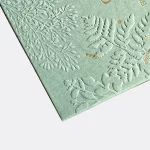
Stock and finish change the surface that reflects light, so the same CMYK values can read differently on different packaging materials. White paperboard gives ink a lighter base. Color-tinted kraft starts with its own brown tone, which can mute light colors and alter contrast. Matte lamination diffuses reflected light. Gloss lamination reflects more directly. Soft-touch lamination changes the surface feel and reflected light. Foil and spot UV add localized shine. Embossing changes the surface height around selected artwork.
Choose the reference surface before judging a color. Color-tinted kraft tuck-top gift boxes make the kraft-base question visible. Hair color boxes put shade communication, instructions, and repeatable brand colors in the same review. If the artwork depends on a flat color match, say which panel and finish matter in the proof notes.
Which packaging formats help you inspect a color decision?
Printed format changes how a color is surrounded by type, folds, and empty space. A color that reads clearly on a flat artboard can lose contrast beside a dark panel or close to a score. Custom hair color boxes are a useful reference for shade labels and repeated color systems. Keep product and instruction copy away from scores, cuts, and glue tabs.
Ask for the physical sample when material is part of the color question. The $19.99 sample kit gives a surface reference before a production direction is approved, and it is credited toward the first order.
What should go in a packaging print handoff?
A packaging print handoff should include editable artwork, converted production copy, source and output profile details, linked images, fonts or outlined type, dieline notes, package format, finish direction, and color-sensitive areas. A dieline is the flat cutting template used to place panels, scores, cuts, and glue tabs. CPL's custom packaging design support can help draw the dieline and organize the file before the digital proof.
The MOQ is 100 units. Pricing is from $0.49 per unit at volume, quoted to spec. Production is typically 8 to 10 business days after proof approval, plus delivery. Free US shipping and free design support are available. Approve the digital proof before anything prints.
Frequently Asked Questions
What is a color profile in packaging artwork?
A color profile is a set of instructions that tells software how to interpret color values for a source file or print condition. An RGB profile describes display color, while a CMYK profile describes the expected ink and surface behavior. For packaging artwork, use the project profile named in the proof instructions, and ask before converting if the profile is missing.
What does the RGB to CMYK formula calculate?
The RGB to CMYK formula maps RGB channel relationships into cyan, magenta, yellow, and black values. It gives software a mathematical conversion, but it cannot make every screen color identical to printed ink. The output profile, stock, and finish still affect the result, so inspect saturated colors and gradients in the digital packaging proof.
Why can a bright RGB color change on a printed box?
A bright RGB color can change on a printed box because a display can show colors outside the range that CMYK process inks reproduce. Convert a working copy, keep the RGB source, and flag the affected logo, fill, or image. The proof should show whether the color change affects readability or product identification.
What does bleed mean in packaging artwork?
Bleed is artwork that extends beyond the trim edge of a package. It gives the cutting process extra image area, so a small shift at the cut does not leave a thin unprinted line. Keep text and logos inside the safe panel area, and keep bleed visible in the dieline notes sent with the production file.
What terms apply to RGB-to-CMYK packaging orders?
Custom Packaging Lane uses an MOQ of 100 units. Pricing is from $0.49 per unit at volume, quoted to spec, and production is typically 8 to 10 business days after proof approval, plus delivery. Free US shipping and free design support are available. The $19.99 sample kit is credited toward the first order.