











































How do you convert RGB to CMYK without losing color in Photoshop?
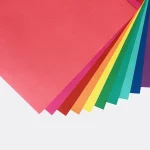
You cannot keep every RGB value identical, but you can keep the color's job intact by preserving the layered source, converting a copy with the requested CMYK profile, and checking the package proof. RGB uses light from a display. CMYK uses cyan, magenta, yellow, and black ink channels for print. Some vivid screen shades will change, so compare recognition, contrast, and separation instead of chasing a pixel-for-pixel match.
Photoshop gives you control over the working file, not control over every physical condition of the package. The board surface, finish, and surrounding colors affect the result. CPL's file preparation process puts the converted image into the package context before proof approval, where a color decision has a real panel and product beside it.
What should you save before converting a Photoshop file?
Save the original layered Photoshop file untouched, then create a clearly named working copy for CMYK preparation. The copy gives you room to test a correction without damaging the approved design direction.
- Keep layers, masks, and adjustment layers editable.
- Keep the original image files available for placed artwork.
- Mark logo colors and product-family colors before conversion.
- Flag dark panels, reversed type, and small copy for a close check.
- Keep the RGB source and CMYK working file in separate versions.
Do not flatten the file simply because the image looks finished. A flattened image hides the decision path and makes a later correction harder to isolate.
Which colors need the closest check after conversion?
Start with the colors that identify the package or separate one product from another. A background gradient can tolerate a different adjustment from a logo or a label color that a buyer uses to identify a variant.
| Color role | Photoshop decision | What to inspect |
|---|---|---|
| Logo or identity mark | Protect recognition and contrast | Shape, edge clarity, and surrounding space |
| Product family color | Keep variants distinct | Adjacent labels and package panels |
| Photograph or illustration | Protect subject detail and tone | Highlights, shadows, and skin tones |
| Background or gradient | Keep hierarchy and smooth transitions | Muddy areas and broken blends |
How do adjustment layers protect a CMYK edit?
Adjustment layers, masks, and grouped edits let you correct a converted file without replacing the source pixels. If a hue change improves a large background but harms a photograph, limit the adjustment to the background. That is faster to undo than rebuilding the image.
Organize the CMYK copy by function. Keep images, package graphics, and color corrections in separate groups, then name the layers in plain language. A designer checking the file later should be able to tell which edit affects the printed panel. Keep the working copy open while you compare it with the original.
How should you compare the original and converted image?
Compare the original and converted versions by visual relationships first. Check whether the package still directs attention to the product name, whether the logo separates from the background, and whether small type stays readable against the selected panel color.
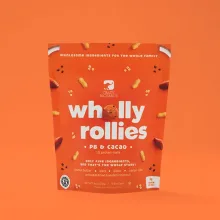
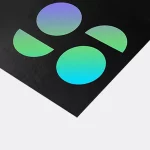
Then inspect colors that sit beside one another. A cyan beside a green can create a different relationship after conversion even when each color looks acceptable alone. A dark background can also change how light type reads. Compare the full panel, not isolated color chips.
What does a packaging proof show that Photoshop does not?
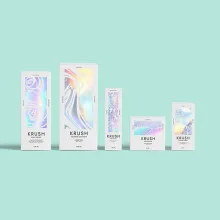
A digital packaging proof places the converted file across panels, folds, closures, and visible surfaces. Photoshop shows the image on a canvas, but the proof shows whether the artwork still reads when the package has structure.
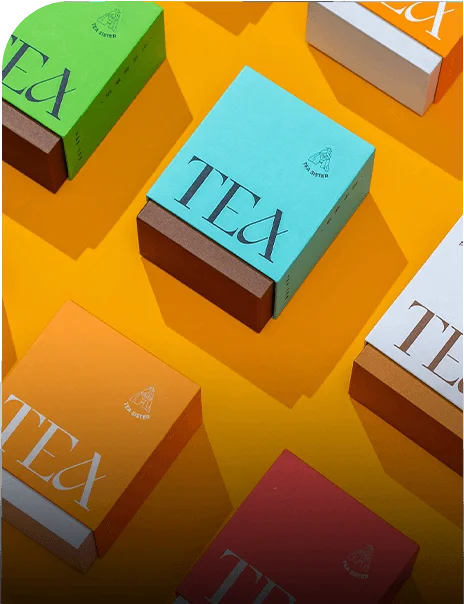
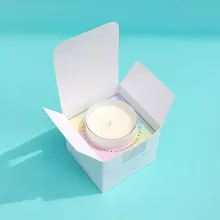
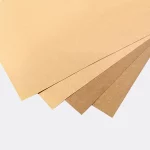
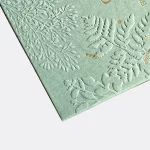
For a physical package context, compare one-piece color-tinted kraft tuck-top gift boxes and hair color boxes. A tinted kraft surface changes the base color beneath the print, while a product family package puts more pressure on color separation. These product references help frame the file discussion; they do not promise that a monitor will match printed output.
What should you send CPL before proof approval?
Send the layered source, the CMYK working copy, the product dimensions, and a short note about the colors that carry meaning. Include the selected package route so the artwork is checked against the right structure.
Use custom packaging design support when the Photoshop file and box layout need to be discussed together. The $19.99 sample kit gives you a physical reference for surface and presentation. If you are comparing formats, return to hair color boxes as a package-specific reference. CPL's MOQ is 100 units. Pricing is from $0.49 per unit at volume, quoted to spec. Production is typically 8 to 10 business days after proof approval, plus delivery. Free design support and free US shipping are available. Send the files before approval so the color decisions happen while the artwork can still change.
Frequently Asked Questions
Can Photoshop make every RGB color print exactly?
Photoshop cannot make every RGB color print exactly because RGB uses display light and CMYK uses ink channels with a different printable range. Photoshop can preserve the color's purpose by keeping the source layered, converting a working copy with the requested profile, and checking the converted color beside the rest of the package.
Why should I keep the layered Photoshop source file?
Keep the layered Photoshop source file because it preserves the original design and makes later color corrections easier to isolate. Create a separate CMYK working copy instead of changing the source. Editable layers, masks, and adjustment layers let you correct one panel or image without rebuilding the whole package.
Which Photoshop tools let me undo a color correction?
Adjustment layers and masks let you undo or limit a Photoshop color correction without replacing the source pixels. Group edits by image, package graphic, and color correction, then name the layers clearly. This structure keeps the CMYK working file understandable during package proof approval.
Why do adjacent colors matter on a package?
Adjacent colors matter because a converted color can look acceptable alone but lose separation beside another color. Check logos against backgrounds, product variants beside one another, and light type on dark panels. Packaging is read as a full panel, so compare the composition rather than isolated Photoshop swatches.
What are CPL's order terms for Photoshop-prepared packaging?
Custom Packaging Lane uses a 100-unit MOQ. Pricing is from $0.49 per unit at volume, quoted to spec, and production is typically 8 to 10 business days after proof approval, plus delivery. Free design support and free US shipping are available. The sample kit costs $19.99.