






































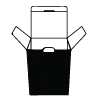

Adding a QR code to packaging starts with the dieline, not a square pasted onto a finished mockup. A QR code is a two-dimensional pattern that opens a digital destination when scanned. A dieline is the flat cutting template that shows the package panels, folds, seams, and cut edges. The code belongs in the editable package file, where its position can be checked against the finished structure.
How do you add a QR code to a box dieline?
Start by confirming the mobile destination and the product version that will carry the code. Add the clean source to the current dieline, keep its proportions intact, and check the printed prompt beside it. The code should be checked as part of the assembled package, not as an isolated image.
| Artwork stage | Design action | Why it matters |
|---|---|---|
| Destination check | Confirm the intended mobile page | Matches the scan with the product message |
| Code preparation | Keep the pattern crisp and proportional | Protects the printed geometry |
| Dieline placement | Add the code to the current package file | Connects artwork to the selected format |
| Prepress check | Check resolution, contrast, and clear space | Shows whether the file is ready for proof |
| Proof approval | Confirm the final package version | Closes the artwork handoff |
What file should you send for a QR code on packaging?
Send vector QR artwork when possible. Vector artwork is built from paths, so the design team can resize it without softening the edges. Raster artwork is made from pixels and should have enough detail for the final printed size. A low-resolution screenshot is a poor source.
A quiet zone is the blank space around a QR symbol. The QR Code specification calls for a quiet zone at least 4 modules wide on every side. Keep strong contrast between the code and its background, and do not place texture, type, foil, or a large illustration over the pattern.
Where should a QR code sit on a package?
Place the QR code on a flat, readable panel with clear space around it. Keep it away from score lines, cut edges, glue flaps, seams, and areas that disappear under a sleeve or tray. A fold can distort the pattern, while a seam can interrupt part of the symbol.
Choose the scan invitation at the same time as the code position. A short instruction on the panel tells the buyer what the scan does. Check the complete package view, because a code that looks clear in the artboard can sit too close to a fold after the box is assembled.
How should QR code versions be organized?
Store each QR source with the product name, package format, destination, printed copy, and file revision. The matching dieline should sit beside that source. Do not use a screenshot as the source of truth when a clean vector file is available.
Keep the product version in the file name and in the proof notes. If several packages carry different destinations, separate them before printing. That small filing step prevents an approved box from carrying the code intended for another product.
What does CPL check before QR packaging proof approval?
Before proof approval, CPL's design team checks the QR geometry, source quality, clear space, contrast, package position, printed scan prompt, and product version. Send the current dieline rather than an old mockup. The team can then place the code in the file that represents the package being quoted.
Which packaging products can carry a QR code?
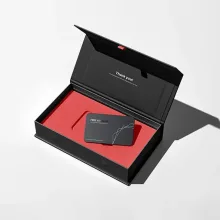
QR codes can sit on a flat carton panel, a textile package, or the sleeve of a rigid presentation box. Wine box packaging can carry a serving guide or product page. Towel packaging can carry care information supplied by the brand. Rigid boxes with sleeve and tray can place the code on the sleeve or another readable panel.
How do you quote packaging with a QR code?
Send the destination, QR source, product information, package format, current dieline, artwork files, printed instruction, quantity, and delivery destination. CPL uses a 100-unit MOQ. Pricing is from $0.49 per unit at volume, quoted to spec. Production is typically 8 to 10 business days after proof approval, plus delivery.
Free US shipping and free design support are available. The $19.99 sample kit gives you a physical reference for surfaces and package formats. Use custom packaging design support when the dieline, QR source, and printed copy need to stay aligned.
Frequently Asked Questions
Can I add a QR code to a folding carton after the file is finished?
A QR code can be added after a carton file exists if the current dieline and editable artwork are available. Confirm the destination, package version, panel position, quiet zone, contrast, and printed scan prompt before proof approval. A flattened mockup is not a reliable source for placement.
What is a quiet zone around a QR code?
A quiet zone is the blank space around a QR symbol. The QR Code specification calls for a quiet zone at least 4 modules wide on every side. Keep that space free from type, texture, artwork, foil, and panel edges so the printed pattern has clear separation.
Should a QR code be vector artwork?
Vector QR artwork is the preferred source because paths can be resized without softening the pattern. Raster artwork can work when it has enough detail for the final printed size. Do not stretch, blur, crop, or place a decorative effect over the code.
Can the same QR code go on different products?
The same QR code can appear on different products when the destination, printed message, package position, and product version are intentionally the same. Store each source with its matching dieline and proof. Separate files are safer when products need different destinations or instructions.
What does a QR packaging order cost and how long does it take?
A QR packaging project uses a 100-unit MOQ, with pricing from $0.49 per unit at volume, quoted to spec. Production is typically 8 to 10 business days after proof approval, plus delivery. Free US shipping and free design support are available, and the sample kit is $19.99.