










































QR code print quality on packaging is the combination of module contrast, clean edges, background control, finish, and panel position on the finished box. Contrast is the visible difference between the dark code modules and the printed background. A code can look sharp as a file and lose separation once ink, board stock, coating, and room light enter the job.
What makes QR code print quality hold up on a box?
Strong contrast and a quiet background give a printed QR code the clearest starting point. Keep the square modules crisp, leave open space around the code, and avoid placing it over a photograph, heavy texture, or color field with similar light and dark values.
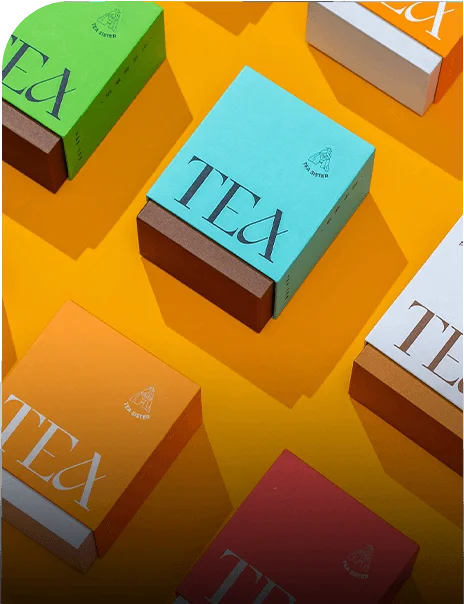
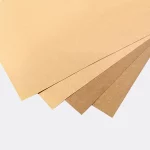
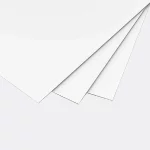
The box stock matters because the same ink can look different on white board and kraft board. White board keeps colors closer to the file. Kraft board shifts light colors and can make a code background look warmer or darker. Choose the stock before the final proof, not after the artwork is locked.
Does matte improve QR code print quality?
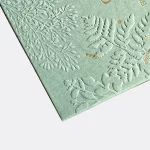
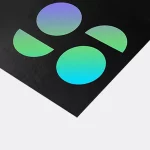
Matte can improve the viewing conditions for a QR code by diffusing reflected light across the printed panel. The finish still needs clean contrast and a controlled background. A dark code on a dark matte panel remains difficult to distinguish, and a textured illustration can crowd the pattern on any stock.
Keep the code on an open part of the box. Check the panel after folding so the code is not pulled across a score or pushed close to a glue tab. Matte reduces one source of glare, but the artwork and structure still carry the job.
What can gloss do to a printed QR code?
Gloss can place a reflected highlight across the code at the angle where a customer holds the package. That reflection changes with the light source and the curve or fold of the box. Put the code away from strong highlights, bright foil-like graphics, and dense copy.
Identify the gloss treatment in the proof and inspect the code on the panel where it will be used. A loose flat sheet cannot show every reflection on an assembled box. The final surface is the thing the camera sees.
Can foil be used near a QR code?
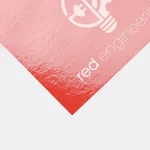
Foil can be used near a QR code when the code stays on a separate printed area. A metallic background reflects light and can change the apparent contrast between the modules and the surface. Keep foil outside the code and its clear zone when the layout allows.
A foil border or logo can still frame the code without occupying its background. Show foil boundaries, code position, nearby copy, and the selected finish in the proof so the panel can be judged as one piece.
How do matte, gloss, and foil compare for print quality?
Matte, gloss, and foil create different surface conditions for the same QR artwork. The table below gives the practical file direction for each finish.
| Finish | Print condition | File direction |
|---|---|---|
| Matte | Lower surface reflection | Protect contrast and keep the background open |
| Gloss | Highlight can cross the code | Move the code away from bright graphics and reflective areas |
| Foil | Metallic background changes with angle | Keep the code on a separate printed field |
No finish removes the need to check the code on the selected stock and assembled panel. The proof should show the surface treatment, surrounding art, folds, and the customer-facing orientation.
How do box stock and ink coverage change the file?
Box stock changes how color and small details appear after printing. White board gives the file a neutral base, while kraft board changes lighter colors and can reduce the separation between a code and its background. Heavy ink coverage also makes surrounding graphics feel busier, so keep the scan area simple.
If the artwork uses RGB colors, the press file may show a different color after conversion. Low-resolution screenshots can soften the code edges. Type near a score or cut line can end up on the wrong panel. A digital proof catches those file problems before printing.
Where should a QR code sit on a printed box?
Place the code on one stable panel that remains visible after folding, filling, and sealing. Wine box packaging can give the code a presentation panel beside product information. Wax packaging may have a more compact printed area where the clear zone must be protected. Shoe box packaging can use a larger exterior panel, but the code still needs distance from edges, seams, and labels.
Add a short printed instruction beside the code. A customer should know what the scan opens without guessing from the square pattern alone.
What should the proof show before printing?
The proof should show the QR code at its planned position with the selected stock, background artwork, finish, clear zone, folds, and nearby copy. Check the assembled view when the box structure affects the angle. Confirm that the destination opens correctly and that the printed invitation matches the mobile page.
Custom Packaging Lane provides a digital proof before printing and free design support. If the code needs a different panel, quieter background, or finish boundary, make that change before proof approval. Production timing starts after proof approval, not when the quote is first requested.
What are the terms for QR code print quality work?
Projects use an MOQ of 100 units. Pricing is from $0.49 per unit at volume, quoted to spec. Production is typically 8 to 10 business days after proof approval, plus delivery. Free US shipping and free design support are available. The $19.99 sample kit can help compare printed surfaces before approval. For artwork planning, use custom packaging design.
Frequently Asked Questions
Does matte paper help QR code print quality?
Matte paper can help QR code print quality by reducing reflected light across the printed surface. The code still needs strong contrast, clean edges, open space, and a background that does not compete with the modules. Matte is a surface choice, not a substitute for a correct file and a useful panel position.
What makes gloss packaging difficult for a printed QR code?
Gloss packaging can reflect light into the viewing angle and place a highlight across the QR pattern. Bright artwork, folds, and weak contrast can add more visual interference. Keep the code on an open panel area, identify the gloss treatment in the proof, and check the assembled package.
Can foil be printed beside a QR code?
Foil can be printed beside a QR code when the code remains on a separate printed field. Metallic reflection can change the background appearance as the box moves. Keep foil outside the code and its clear zone when possible, then show the exact boundary in the digital proof.
How does kraft board affect QR code artwork?
Kraft board can shift light colors warmer and darker than they appear on a white background. That change can reduce separation between a QR code and nearby artwork. Keep the code on a controlled field, check the selected board stock in the proof, and avoid relying on a monitor preview alone.
What are the terms for QR code print quality packaging?
QR code print quality packaging uses an MOQ of 100 units. Pricing is from $0.49 per unit at volume, quoted to spec. Production is typically 8 to 10 business days after proof approval, plus delivery. Free US shipping and free design support are available, and the sample kit is $19.99.