














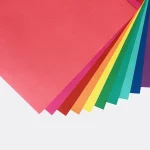
































RGB is the color model used by screens, where red, green, and blue light combine to create the image. CMYK is the print model built from cyan, magenta, yellow, and black ink. Converting between them can change a color's brightness, hue, or contrast. A digital proof is the package artwork version sent for approval before printing. The safest Illustrator workflow protects the editable source and checks each object that carries meaning.
How can an Illustrator swatch reveal a conversion risk?
An Illustrator swatch reveals a conversion risk when it carries a logo, product family, large background, or variant distinction. Check the swatch by role before you check its numeric value. A small decorative accent can tolerate a different result than the color that tells a buyer which product is in the box.
| Illustrator object | What can change | What to inspect |
|---|---|---|
| Global process swatch | One edit changes linked objects | Logo and product-family recognition |
| Linked raster image | Profile, highlight, and shadow detail | Product image clarity on the panel |
| Opacity mask or blend mode | Composite color at an overlap | Edge and transparency behavior |
| Gradient mesh | Local transitions and tonal steps | Banding or a heavy endpoint |
Use the table as a first pass, then inspect the object in Illustrator at its real panel size. A global swatch is linked to the objects that use it, so one correction can affect several package versions. A placed image, mask, or effect needs its own check because the document label alone does not explain the final composite color.
Which Illustrator objects need a closer color check?
Linked photographs, opacity masks, blend modes, clipping masks, and live effects need a closer color check than a simple solid accent. Use the Links panel to confirm the image is available, then inspect the Appearance panel for effects that change the printed result.
Check the artwork at the size where the package will be read. Small type on a dark panel has a different problem from a large illustration that sets the tone for the front face. Name the affected group or object in the color note so a correction returns to the same place.
How do I keep RGB artwork editable during CMYK preparation?
Keep the RGB source and work from a duplicate CMYK file. Save the source before changing document settings, then give the working file a production name that makes its status clear.
Use organized swatches, editable groups, and linked assets that remain available to the file. Avoid flattening or replacing artwork while the color decision is open. If one package version needs a change, record the reason instead of changing every version by habit.
Why do color roles matter more than identical screen values?
A changed CMYK value can still preserve the design when the logo remains recognizable, the product variants stay distinct, and small type keeps its contrast. The printed value does not need to match the screen number to perform that job.
Describe the needed result in concrete terms, such as darker, less saturated, warmer, cooler, or more distinct from nearby copy. Put the request beside the affected object or group. The note gives the proof check a decision to make instead of asking for an impossible screen match.
How should color notes be attached to packaging panels?
Attach each color note to the panel and object where the decision matters. Mark the logo, product name, full-coverage background, photograph, gradient, or small reversed copy, then state whether the color supports recognition, separation, readability, or hierarchy.
Keep the note with the source file, CMYK working file, and current dieline. A dieline is the flat cutting template for the package, with cut lines, scores, and glue tabs. The custom packaging solutions page is a useful route when the artwork question needs to stay connected to the selected package format.
How can a digital proof settle a screen-match dispute?
Use the digital proof when a screen match remains disputed. CPL sends a digital proof before printing, so compare the converted artwork in the intended layout and judge the colors beside the logo, product information, folds, and other printed elements.
One-piece color-tinted kraft tuck-top gift boxes are a reference for artwork that sits beside a material-led surface. Hair color boxes are a reference when color helps separate product choices. The hair color box format also gives a direct comparison point for related color families.
What does CPL need for Illustrator color support?
Send the editable RGB source, the CMYK working copy, linked images, package format, and a note naming the colors that matter most. CPL's free design support can help organize the handoff and proof questions. The $19.99 sample kit gives you a physical reference when surface appearance affects the decision.
The MOQ is 100 units. Pricing is from $0.49 per unit at volume, quoted to spec. Production is typically 8 to 10 business days after proof approval, plus delivery. Free US shipping is available. Keep the original source available until the digital proof is approved.
Frequently Asked Questions
Does changing Illustrator's document mode convert every object?
Changing Illustrator's document mode does not replace a full object check. Linked images, gradients, transparency, live effects, and repeated swatches can still need attention after the file changes. Inspect those objects in their package context, then compare the CMYK working file with the original RGB source before proof approval.
What is the safest way to keep color edits reversible?
The safest way to keep Illustrator color edits reversible is to save the RGB source and prepare a separate CMYK working copy. Use clear file names, organized swatches, editable groups, and available linked assets. Do not flatten or overwrite the source while the proof discussion is still open.
Why can the same swatch look different on two panels?
The same swatch can look different on two panels because surrounding colors, board color, printed coverage, and finish change the way reflected light is seen. Compare the swatch beside the logo, type, product image, and background on each panel. A single isolated color chip cannot answer that package-level question.
When should I ask for a digital proof?
Ask for a digital proof before printing whenever a color carries logo recognition, product separation, readable contrast, or a large background field. Compare the proof in the full package layout, describe any requested change precisely, and approve the version that performs the intended job on the selected package.
What are CPL's MOQ, price, and production timing?
CPL's MOQ is 100 units. Pricing is from $0.49 per unit at volume, quoted to spec. Production is typically 8 to 10 business days after proof approval, plus delivery. Free US shipping and free design support are available, and the sample kit is $19.99 for checking physical packaging surfaces.