









































What happens when RGB artwork enters a CMYK print workflow?
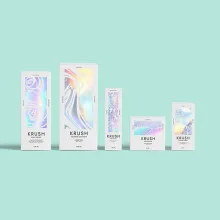
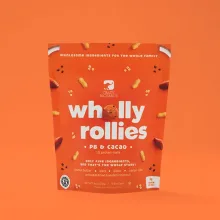
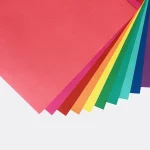
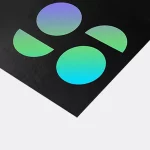
When RGB artwork enters a CMYK print workflow, its screen colors are translated into process-ink values. RGB mixes red, green, and blue light for screens. CMYK mixes cyan, magenta, yellow, and black inks for print. Illustrator can display colors that process ink cannot reproduce on a package, especially bright greens, blues, and oranges. Convert a copy before the proof so the change is visible while the artwork can still be adjusted.
CMYK conversion does not make a monitor match a printed package. Board color, ink coverage, coating, lamination, and viewing light affect the result. Treat the converted file as the print reference, then use the digital proof as the approval surface.
How do you convert an Illustrator file for packaging print?
Convert a duplicate of the working file, keep the RGB original untouched, and use Illustrator's CMYK document and color commands for the print version.
- Save a copy with a clear CMYK filename.
- Choose File, Document Color Mode, CMYK Color.
- Select artwork that still carries RGB values, then choose Edit, Edit Colors, Convert to CMYK.
- Open placed images and check their color mode separately. Replace an RGB image with a CMYK version when the image is part of the print file.
- Inspect swatches, gradients, transparency, small type, and black areas at actual size.
Do not flatten the only editable file. A conversion can change a swatch or image without changing the layout, so compare the CMYK copy with the original after each material change.
What should stay in a packaging artwork handoff?
A packaging handoff should keep the dieline, artwork, linked images, and color notes together. A dieline is the flat cutting template that shows cut lines, scores, folds, glue tabs, and bleed boundaries before a box is made.
| Handoff item | What to check | Why it matters |
|---|---|---|
| CMYK document | Document Color Mode is CMYK Color | Sets the file up for process-ink discussion |
| Original artwork | RGB source remains separate | Preserves an editable reference |
| Placed images | Linked files are included and checked | Prevents an RGB image from escaping the handoff |
| Dieline layer | Cuts, scores, folds, and bleed are labeled | Keeps structural marks away from artwork confusion |
| Color notes | Priority logos and brand colors are listed | Gives the proof a clear inspection list |
How should you judge a converted color?
Judge a converted color against the proof, with attention to hierarchy, contrast, small type, and artwork near folds or closures. Start with the logo and product name, then inspect any color that carries a warning, variant, or other meaning.
If a brand color changes noticeably, note the original RGB value, the CMYK result, and the requested adjustment in the proof comments. Ask which CMYK profile applies to the job before making a second conversion. Repeatedly converting the same file can compound rounding changes and make it hard to identify the approved version.
Custom Packaging Lane sends a digital proof before anything prints. Check it at the assembled orientation, not only as a flat artboard. A color that looks fine on one panel can land under a flap or beside a dark fold line once the package is folded.
Which packaging format changes the file setup?
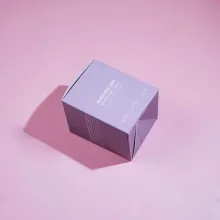
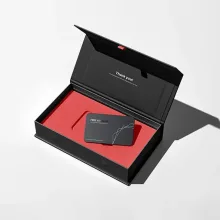
The package format determines which panels, folds, and print areas need labels. A custom mailer box file usually needs the outer panels, inside print areas, tuck or locking flaps, and the face seen when the lid opens. A rigid printed box file separates the lid, wrapped walls, and interior print. A custom shipping box file keeps branding, handling copy, structural marks, and barcode placement in separate layers.
Send product dimensions and Custom Packaging Lane draws the dieline free through free design support. Settle the format before polishing the artwork. Color conversion cannot fix type placed across a score, bleed omitted at a cut edge, or a logo sitting on the wrong panel.
What should you record before approving the proof?
Record the approved Illustrator file, the CMYK version used for the proof, the profile or prepress direction, and the person who can approve the proof.
- The original RGB artwork and the converted CMYK copy.
- The Illustrator document color mode and image color modes.
- The dieline version, assembled orientation, folds, closures, and bleed areas.
- The logo, copy, color, and panel changes still needing attention.
- The final proof comments and approval owner.
The MOQ is 100 units. Pricing is from $0.49 per unit at volume, quoted to spec. Production is typically 8 to 10 business days after proof approval, plus delivery. Free US shipping and free design support are available. Visit the custom packaging design hub for file preparation, then order the $19.99 sample kit if you want physical packaging references before approving the printed direction.
Frequently Asked Questions
Why does Custom Packaging Lane ask for CMYK packaging artwork?
Custom Packaging Lane asks for CMYK packaging artwork because CMYK uses process inks, while RGB uses screen light. The conversion exposes colors that a package may reproduce differently from a monitor. Sending a CMYK copy gives the proof a clear print reference. Keep the original RGB file so later changes remain editable.
Can I keep an RGB original and send a CMYK copy?
Yes. Keep the RGB file as the editable source and send a separate CMYK copy for packaging print. The CMYK copy is the version to inspect for changed swatches, images, gradients, and black areas. Custom Packaging Lane's free design support can help organize the file and prepare the dieline before the proof.
Will Illustrator conversion make the screen and print look identical?
No. Illustrator conversion changes the file into a process-ink color space, but a screen emits light and a package uses ink on a selected board and finish. Judge the CMYK copy and digital proof for hierarchy, contrast, and important brand colors before proof approval.
What is a dieline in a packaging file?
A dieline is the flat cutting template for a package. It marks cuts, scores, folds, glue tabs, and bleed areas so artwork can be placed on the correct panels. A packaging handoff should keep the dieline layer separate from artwork and label the assembled orientation before proof approval.
What happens after the artwork is ready to order?
The MOQ is 100 units. Pricing is from $0.49 per unit at volume, quoted to spec, and production is typically 8 to 10 business days after proof approval, plus delivery. Custom Packaging Lane provides free design support, free US shipping, and a digital proof before anything prints.