











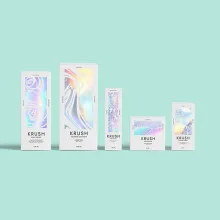
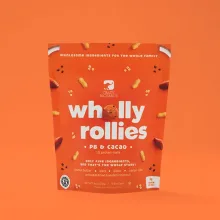
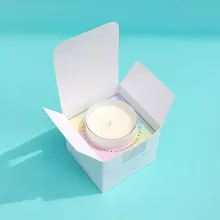

































Photoshop RGB to CMYK conversion prepares a screen-based file for ink on a physical package. RGB uses light from a display. CMYK uses cyan, magenta, yellow, and black channels for print. Photoshop can make the conversion controlled, but it cannot make every screen color print identically. Keep the layered master, convert a separate working copy, inspect layers and the full dieline, then approve the digital proof before anything prints.
Can Photoshop keep RGB colors exactly the same in CMYK?
No. Some RGB colors fall outside the range a CMYK print process can reproduce. Photoshop can preserve the design intent by keeping the source untouched, using the project profile, checking color-sensitive layers, and recording focused proof notes. Judge a logo or full-panel color on the selected package surface, not only against a backlit screen.
What should you save before Photoshop color-mode conversion?
Save the layered RGB artwork as an untouched master and create a separate CMYK working copy. Keep linked images, adjustment layers, masks, type, and smart objects with the project record. A color profile is a set of instructions that tells software how to read a file for a source or print condition.
Name the master as the RGB source and the duplicate as the CMYK preparation file. Do not overwrite the source. If a correction is needed, return to the master and make a fresh working copy instead of converting the same file back and forth.
Which Photoshop menu path changes RGB to CMYK?
Open the duplicate and choose Image > Mode > CMYK Color, then use the project-specific conversion choices named in the proof instructions. If the project profile is not stated, ask CPL to identify it before conversion. The menu path changes the document mode, but it does not replace a review of layers, images, transparency, or the package layout.
Save the converted file under a new version name. The file should show its mode, profile, and proof stage without relying on a message thread.
What should you inspect after the Photoshop conversion?
Inspect large solid backgrounds, saturated accents, photographs, shadows, gradients, transparency, and fine type after conversion. A color shift can hide inside a photograph and become obvious when the same color fills an exterior panel.
| Checkpoint | Inspect | Record |
|---|---|---|
| RGB master | Layers, linked assets, masks, and source intent | Untouched source filename |
| CMYK working copy | Brand accents, photographs, gradients, and dark areas | Conversion version and project profile |
| Layer stack | Adjustment layers, smart objects, and transparency | Layer or object needing review |
| Full package layout | Panels, folds, trim, and visible artwork | Specific color or panel question |
| Digital proof | Approved color direction and requested changes | Approval note tied to file version |
Look at the assembled layout as well as individual layers. Check the front, sides, interior panels, opening area, and artwork near the cut and score lines. A dieline is the flat cutting template that shows the package panels, folds, cuts, and glue tabs.
How do adjustment layers and smart objects affect CMYK files?
Adjustment layers can continue to change the appearance of the layers below them, and smart objects can preserve source content inside the working file. Check those objects separately after the mode change. Do not assume that a CMYK document means every embedded image or smart object was prepared in the same way.
Keep the editable structure where the production workflow allows it. If an image needs its own conversion, handle it in the application suited to that image, then inspect the result inside the complete package. This is where a flattened screenshot fails, because it hides which layer created the color.
How should color notes stay tied to the right proof?
Write each note against a color, layer, panel, or object. Keep the note specific to the affected artwork. A note tied to the logo fill on the front panel gives prepress a defined comparison.
Compare the RGB source, CMYK working copy, soft-proof view when available, and digital packaging proof. Keep the approved proof and matching production file together. Production starts after proof approval, so the approved file version matters.
What Photoshop file should go to packaging prepress?
Send the requested editable source or converted production copy with linked assets, profile information, version name, package format, finish direction, and focused color notes. CPL's free design support can help prepare artwork for custom mailer boxes, custom shipping boxes, and rigid printed boxes.
Use custom packaging design when the file needs broader layout help. The $19.99 sample kit is credited toward the first order. The MOQ is 100 units. Pricing is from $0.49 per unit at volume, quoted to spec. Production is typically 8 to 10 business days after proof approval, plus delivery. Free US shipping is available.
Frequently Asked Questions
What happens to the source when Photoshop changes to CMYK?
Changing Photoshop to CMYK should happen in a duplicate, not the original source. Keep the layered RGB master unchanged, then use Image > Mode > CMYK Color on the working copy. This preserves a clean comparison and gives the team a source for a fresh conversion if a layer or color needs correction.
Which Photoshop layers need a color check?
Photoshop layers that need a color check include solid backgrounds, saturated accents, photographs, gradients, shadows, transparency, adjustment layers, smart objects, and fine type. Review them inside the complete package layout, not only as isolated layers. Note the affected layer or panel so the proof question points to a specific correction.
Does Image > Mode > CMYK Color convert smart objects?
Image > Mode > CMYK Color changes the Photoshop document mode, but it does not prove that every smart object or embedded image has the same print treatment. Open the object or source image as needed, inspect it separately, and then review the result inside the package layout before proof approval.
Why should Photoshop proof notes name a layer?
Photoshop proof notes should name the layer, object, color, or panel because a general request does not identify the requested check. A note tied to the logo fill on the front panel gives prepress a defined comparison between the RGB source, CMYK working copy, and digital proof.
What terms apply to CPL Photoshop packaging artwork?
Custom Packaging Lane uses an MOQ of 100 units. Pricing is from $0.49 per unit at volume, quoted to spec, and production is typically 8 to 10 business days after proof approval, plus delivery. Free US shipping and free design support are available, and the $19.99 sample kit is credited toward the first order.