










































How do you convert RGB to CMYK for packaging print?
Start with a duplicate of the editable file, apply the CMYK profile requested for the packaging job, inspect the changed colors, and send the converted artwork through a digital proof check. RGB stores color as red, green, and blue light on a screen. CMYK stores color as cyan, magenta, yellow, and black ink channels for print. Because the two systems describe different output conditions, a bright screen color can lose saturation or shift in balance on paper or board.
That shift is not a reason to guess at a new hex value. It is a reason to name the color's job. A logo must remain recognizable, a product family color must stay distinct, and small type must keep contrast. CPL's prepress workflow starts with the profile for the print project and checks those roles against the package proof.
| Artwork source | First action | What to check |
|---|---|---|
| Illustrator vector file | Duplicate the file and set the CMYK document profile | Swatches, gradients, transparency, and black type |
| Photoshop image | Duplicate the image and convert the working copy | Highlights, shadows, saturated areas, and detail |
| Mixed packaging layout | Check the document profile and placed images | Panel colors, image changes, and artwork near folds |
| Online converter output | Verify the output before placing it in the layout | Color mode, profile, editability, and flattened layers |
How do you change RGB to CMYK in Illustrator?
In Illustrator, change a duplicate document to the requested CMYK profile, then inspect the full artboard and each placed image. Set the document color mode to CMYK and use the profile supplied for the packaging job. A document change does not replace a close check of linked raster images, so open those images separately when their shadows or saturated colors carry meaning.
Look at gradients, transparency, overprint, black type, and fine lines near a score. A score is a pressed fold line in paperboard. Type that sits too close to one can become hard to read after the package folds. Keep the editable Illustrator source and the converted working file separate.
How do you convert images from RGB to CMYK in Photoshop?
In Photoshop, duplicate the layered file, convert the copy to the requested CMYK profile, and inspect the image at the size it will occupy on the package. Compare the source and converted copy in the areas that carry the design: dark product photos, bright labels, smooth gradients, and small details.
A soft-proof view can show a likely shift on screen, but it remains a screen simulation. Do not move the same image back and forth between RGB and CMYK. Each extra conversion makes the color path harder to trace. Keep the source untouched, make one controlled conversion, and place that result into the packaging layout.
How do you convert RGB to CMYK without losing color?
You cannot keep every RGB color identical, but you can preserve the visual job of each color. Color gamut means the range of colors a system can display or print. RGB can show shades that the selected CMYK process cannot reproduce in the same form, so the practical task is to protect recognition, contrast, and separation rather than chase an identical screen value.
Mark the logo color, product variant colors, dark panels, and reversed type before the conversion. Afterward, compare those areas in the full package layout. If one color shifts, adjust that color with a purpose and record the change for the proof conversation.
Can you convert RGB to CMYK without Photoshop?
Yes. Illustrator and other color-managed design applications can convert artwork, and an online RGB-to-CMYK converter can change an image mode. The converter is only a file step, not a press match. Check the output mode, profile, image quality, and editability before using it in packaging artwork.
Online tools can flatten layers or remove information that the original designer needs later. Save the source file first. If the artwork will print on a specific package, ask CPL which CMYK profile belongs to the project, then check the converted result in that layout.
What should you check before approving a packaging proof?
Check the converted art on the package layout, not only in the open design file. The proof is the point to catch a color shift while the file can still change.
- Bleed is artwork that extends past the trim edge, so check that color continues beyond every cut edge.
- Keep type, barcodes, and fine lines clear of scores, glue tabs, and trim.
- Check dark images for blocked shadows and gradients for abrupt changes.
- Compare the logo and product colors beside the background, not as isolated swatches.
- Confirm the finish and board direction before treating the proof as ready.
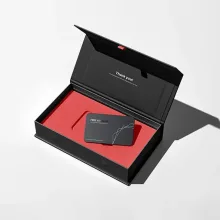
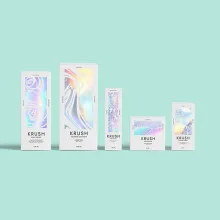
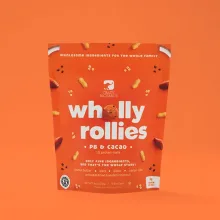
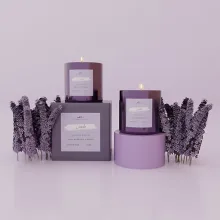
For the package itself, compare custom mailer boxes, custom shipping boxes, and rigid printed boxes. CPL's custom packaging design support can help connect the color file to the box structure. Orders start at 100 units. Pricing is from $0.49 per unit at volume, quoted to spec. Production is typically 8 to 10 business days after proof approval, plus delivery. Free US shipping and free design support are available. Order the $19.99 sample kit when a physical surface reference will help before final approval.
Frequently Asked Questions
What happens to a bright RGB blue after CMYK conversion?
A bright RGB blue can lose saturation or shift in balance after CMYK conversion because RGB uses display light and CMYK uses ink channels. Keep the editable source, convert a working copy with the requested profile, and check the blue beside the package background. Adjust the color for recognition and contrast, then confirm it on the digital proof.
Should I change an Illustrator file or its placed images first?
Change a duplicate Illustrator document to the requested CMYK profile, then inspect placed images separately. A document setting does not give every raster image the same correction path. Check gradients, transparency, black type, and fine lines near scores before sending the complete layout for proof approval.
What should I keep before using an online RGB-to-CMYK converter?
Keep the original editable artwork before using an online RGB-to-CMYK converter. Verify the converted file's color mode, profile, image quality, and editability because an online tool can flatten layers or remove information. Place the output in the packaging layout and check it before proof approval.
Why does a packaging proof matter for color conversion?
A packaging proof shows the converted artwork in its panel layout, where background contrast, folds, finish, and adjacent colors affect how the design reads. A screen canvas cannot show every package decision. Check the logo, product colors, dark images, gradients, type, and artwork near scores before approving the file.
What are CPL's order terms for converted packaging artwork?
Custom Packaging Lane uses a 100-unit MOQ. Pricing is from $0.49 per unit at volume, quoted to spec, and production is typically 8 to 10 business days after proof approval, plus delivery. Free US shipping and free design support are available. The sample kit costs $19.99.