












































Can an online RGB-to-CMYK converter make packaging artwork print ready?
An online converter can create a first CMYK file, but it cannot make packaging artwork fully print ready by itself. RGB uses red, green, and blue light for screens, while CMYK uses cyan, magenta, yellow, and black ink for print. The converter changes the file, but it does not show the final result on the selected board, finish, lighting, or package layout.
Use the online result as a screening copy. Preserve the original artwork, keep the conversion method visible, and carry color-critical questions into the digital proof. A digital proof is the package artwork version sent for approval before printing. A print profile is the conversion reference for the job. If one has been supplied, follow it. If not, ask for the print reference rather than presenting an assumed setting as final.
How do I convert RGB to CMYK online without losing color?
Convert a duplicate file, then inspect the converted copy in a design application before sending it for proofing.
- Save the original RGB artwork in a separate location.
- Upload a duplicate and give the result a clear CMYK filename.
- Check saturated greens, cyans, blues, purples, neon tones, gradients, and dark backgrounds.
- Open the converted file and check linked images, swatches, transparency, and small type.
- Send the original, converted copy, and color priorities together.
Without losing color should mean preserving the color's job, contrast, and recognition. It cannot mean that every screen value stays visually identical after conversion. Printed packaging reflects light from a physical surface, so the proof is where the important decision belongs.
What does CMYK color shift look like in printing?
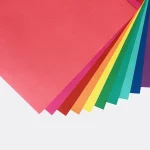
CMYK color shift is the visible difference between an RGB design and its printed process-color result. It can appear as lower brightness, a warmer or cooler hue, darker shadows, weaker contrast, or a changed gradient. Saturated screen colors deserve the first check because a screen can show colors outside the selected print process.
| File stage | What it helps you do | What it cannot establish alone |
|---|---|---|
| Online converter | Create a first CMYK version | Final color on packaging board |
| Design application | Inspect swatches, images, and effects | How reflected light changes the result |
| Digital proof | Check color in the package layout | Every later file variation |
| Approved handoff | Give production a clear file and color note | A promise that screen and print match exactly |
How do I turn an online conversion into a packaging handoff?
Keep the original RGB source, the converted CMYK working file, and a short color note together. The note should identify the logo color, product variant colors, large background fields, photographs, gradients, and any shade that separates one item from another.
Check that linked images remain available, that the converted document opens in the design application, and that the production filename is distinct from the source. Do not flatten or rename files in a way that hides what changed. The custom packaging solutions hub can connect the file question to the selected package route.
What should I inspect before calling a file print ready?
Inspect the document color mode, shared swatches, linked images, gradients, dark fields, small type, and thin rules before calling the file print ready. A converted file still needs a package-level check.
- Compare the converted result with the RGB source for hierarchy and contrast.
- Check photographs and gradients for lost detail or uneven transitions.
- Check type near scores, folds, and panel edges.
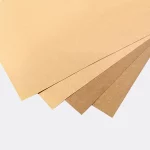
- Note whether the package uses tinted kraft, white board, matte, or gloss.
- Carry unresolved color questions into the digital proof.
A monitor cannot reproduce every surface effect. A digital proof gives the file a defined package context before printing, so the color discussion has something specific to approve.
Which packaging formats deserve a closer color check?
Color deserves a closer check when several variants share one structure or when a distinct brand field does most of the visual work. Compare one-piece color-tinted kraft tuck-top gift boxes with hair color boxes as two catalog references for surface and product-separation questions.
The color-tinted gift box format and hair color box format can help you mark which colors need the first check. The product page is a format reference, not a universal color profile. The selected artwork, board, finish, and proof still control the decision.
What are CPL's quantity and production terms?
CPL's MOQ is 100 units. Pricing is from $0.49 per unit at volume, quoted to spec. Production is typically 8 to 10 business days after proof approval, plus delivery. Free US shipping and free design support are available.
The $19.99 sample kit can help you discuss the physical surface before the final converted artwork is approved. Start with the online conversion, then send the original source, converted copy, and color priorities for a packaging proof.
Frequently Asked Questions
Can a browser preview show the final package color?
A browser preview cannot show the final package color on a specific board and finish. The browser displays a backlit screen image, while packaging reflects light from a physical surface. Use the preview to spot obvious changes, then use a digital proof to check the logo, background, product shades, and contrast.
Should I upload the original RGB file to an online converter?
Do not use the only RGB source as the online conversion file. Save the original, upload a duplicate, and name the converted copy clearly. Keep both files together with the color note so the source remains available and the production handoff shows exactly which artwork moved into CMYK preparation.
What does print ready mean after online conversion?
Print ready after online conversion means more than having a CMYK filename. The working file should open correctly, retain its linked images, show swatches and effects that were checked, identify color-critical areas, and carry unresolved questions into the digital proof. The selected package surface and finish still need a check before approval.
Why do online tools differ in their CMYK results?
Online tools can differ because they may use different conversion profiles, settings, or image handling methods. The result also changes with the package surface and finish. Keep the original source, record the tool settings when available, and do not treat an unexplained online result as the final packaging color decision.
Can CPL check an online RGB-to-CMYK conversion?
CPL offers free design support for packaging artwork. Send the original RGB file, converted CMYK copy, package format, color priorities, and any profile information from the online tool. The MOQ is 100 units, pricing is from $0.49 per unit at volume, quoted to spec, and production is typically 8 to 10 business days after proof approval, plus delivery.