
















































RGB is a light-based color model used by screens. CMYK is an ink-based model used by many print workflows. A color profile is the data that tells software how those values should be read and converted. RGB to CMYK without color change means keeping the intended appearance as close as the selected paper, ink, and finish can reproduce it. The profile conversion is only one step.
What does RGB to CMYK without color change actually mean?
RGB to CMYK without color change means preserving the visual job of each color, not promising identical screen and print output. A monitor emits light; a package reflects light from board and coating. Bright cyan, green, blue, and orange colors can sit outside the printable range of a CMYK condition. The practical choice is to identify those colors early, choose a printable replacement, and approve the result on a proof.
Which color profile should you use for print-ready color conversion?
Use the destination profile tied to the actual print condition, not a generic CMYK setting chosen from habit. The source profile describes the RGB file; the destination profile describes how the print workflow interprets CMYK values. The board, coating, ink coverage, and proof method all belong in that decision. Ask the packaging prepress contact to confirm the destination profile for the selected package, then keep the answer with the artwork record.
Why do bright RGB colors change after conversion?
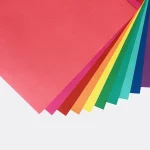
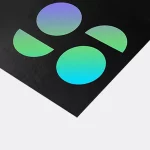
Bright RGB colors change when they fall outside the gamut, which is the range of colors a specific output condition can reproduce. The conversion maps those colors into the available CMYK range. A green may lose brightness, an electric blue may move toward purple, and an orange may lose saturation. Those are material limits, not a sign that the software failed. Compare the converted color beside the original, then decide whether hue, lightness, or contrast matters most for the brand mark.
| Color control | What it describes | What to check |
|---|---|---|
| Source profile | How the original RGB values are interpreted | Keep the embedded profile with the file |
| Destination profile | How CMYK values fit the print condition | Confirm it for the board and finish |
| Gamut mapping | How out-of-range colors enter the printable range | Inspect bright brand colors and gradients |
| Digital proof | The approved reference for the file and surface | Review it before anything prints |
| Package finish | How reflected light changes color perception | Judge color on the selected package surface |
What should you check before approving a converted file?
Check the converted file after it sits on the package layout, because a color chip by itself hides scale, adjacent colors, and surface effects. A practical print-ready color conversion check covers:
- the embedded source profile and confirmed destination profile;
- large saturated panels, gradients, skin tones, and dark backgrounds;
- small black type, fine rules, and barcode areas after placement;
- the same brand color across every related file.
Do not judge a package file only on an uncalibrated screen. Keep the approved color reference with the proof record.
How do board and finish affect printed color?
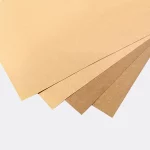
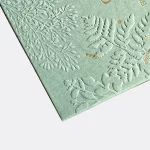
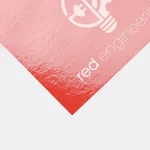
Board and finish change how printed color is seen. Kraft board can warm uncoated areas; white board gives printed colors a different base. Matte lamination diffuses reflected light, while gloss lamination increases surface reflection. Spot UV and foil create separate surface effects, so a color beside either can appear different from the same color on a flat matte panel. Keep the surface specification fixed during approval.
Which packaging formats are useful for a color review?
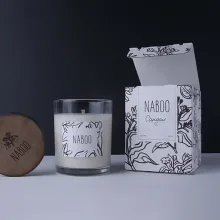
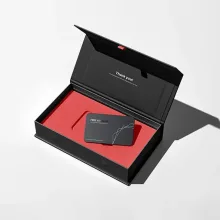
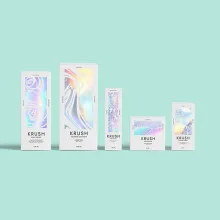
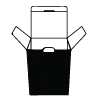
Use the actual package format for the proof whenever color carries product information. One-piece color-tinted kraft tuck-top gift boxes put substrate and printed color in the same decision. Hair color boxes make a useful reference when the carton carries color blocks, small type, and product details. The same color-tinted tuck-top box format and printed hair color box format can be compared after conversion, because a flat swatch cannot show folds, panels, or finish.
How do you request a profile-aware packaging proof?
Send the original artwork, embedded source profile, intended package format, board and finish preference, and a short list of colors that cannot drift. CPL is a US-based packaging supplier with free design support, so the team can draw the dieline and organize the file handoff. A digital proof comes before printing. Use custom packaging design support to keep the structural file and color file together, then approve the proof only after the surface and layout match the order.
Custom orders use a 100-unit MOQ. Pricing can be from $0.49 per unit at volume, quoted to spec. Production is typically 8 to 10 business days after proof approval, plus delivery. Free US shipping is available. The $19.99 sample kit is credited toward the first order and gives you a physical surface to inspect before approving a color-sensitive package.
Frequently Asked Questions
Will converting RGB to CMYK always change the file's values?
RGB to CMYK conversion can preserve the intended appearance, but it cannot make every screen color print identically. RGB uses light and CMYK uses ink, so bright colors outside the chosen print gamut need mapping to printable values. Keep the source profile, use the confirmed destination profile, compare the converted artwork on the package layout, and approve a digital proof before production.
What is the safest way to keep a brand color accurate in CMYK?
Keeping a brand color accurate in CMYK starts with a defined source profile and a destination profile tied to the print condition. Check the color after conversion, beside nearby colors and on the selected board or finish. If the mapped color changes the brand mark's job, choose a printable replacement and record that choice for later files.
Should I convert artwork before sending it to a printer?
Convert the artwork in the agreed color-managed workflow before final proof approval, but do not treat conversion as the finish line. Preserve the embedded source profile, confirm the destination profile, inspect gradients and black type, and compare the result on the package layout. The digital proof is the point where the selected surface and converted file meet.
Why do gradients and dark backgrounds need extra checking?
Gradients and dark backgrounds expose color-management errors because small changes in tone can show as bands, muddy shadows, or a shifted transition. Check the gradient after RGB to CMYK conversion at its final size, inspect large dark panels for blocked detail, and compare the proof under consistent light. Record any approved adjustment instead of rebuilding the color by eye.
What does CPL provide for a color-sensitive order?
Custom Packaging Lane provides free design support for packaging artwork and sends a digital proof before printing. For a color-sensitive order, send the source profile, package format, board or finish preference, and colors that need review. Custom orders use a 100-unit MOQ, pricing can be from $0.49 per unit at volume, quoted to spec, and the $19.99 sample kit is credited toward the first order.